Free forever · No credit card

Feedback that
becomes code.

Annotate anything in the browser, hand it to your AI agent, ship. No Slack threads. No tickets nobody reads. No switching context.

Download CLI — it's free See how it works

Works with any framework · Best results with React · npx vibeflow serve

Vibeflow — localhost:3700
1
$ npx vibeflow tasks --status todo
 
[todo] Fix button alignment on mobile
id: a3f2e1b8
selector: #auth > button.submit
component: SignupForm
file: src/auth/SignupForm.tsx
line: 42
priority: High
 
[todo] Dark mode not persisting
id: 7c9d0e5a
selector: /settings/appearance
component: ThemeProvider
file: src/context/ThemeProvider.tsx
line: 87
priority: Medium
 
Total: 14 | Backlog: 3 | Todo: 2 | Review: 5 | Done: 4
 
$
// the problem

The gap between your browser
and your AI agent.

You review the agent's work in the browser. You spot issues. Then the hard part: re-explaining every little thing in plain text, hoping the agent understands where to look and what's wrong.

🤖
"The agent changed it, but it's still not right"
Reviewing coding agent output is the hidden cost no one talks about. You open the browser, spot the issue, then go back to your editor and spend minutes describing where the problem is, what it looks like, and what needs to change — in words. The context lives in the browser. Your description is lossy.
💬
"Just sent you a Slack message about it"
Context-switching costs 23 minutes to recover. The fix takes 2 minutes. That ratio is broken.
📸
"Here's a screenshot, the thing on the left"
Screenshots without structure become detective work. Your agent needs selector, text, coordinates — not a JPEG.
📋
"Let me write a ticket for this"
Tickets add ceremony. For a solo dev on a deadline, ceremony is the enemy of shipping.
🔄
"I described it to the AI but it got confused"
Prose descriptions lose precision. Your AI agent works best with structured, reproducible context — not guesswork.
// how it works

Three steps.
Zero ceremony.

One command starts a local server that injects an annotation layer into any HTML file or live app. The rest is just clicking.

Annotate
1Click anything
A floating panel lets you click any element, write a quick note, and attach a screenshot. It doesn't interrupt your browser — it lives alongside it.
Manage
2Tasks, not tickets
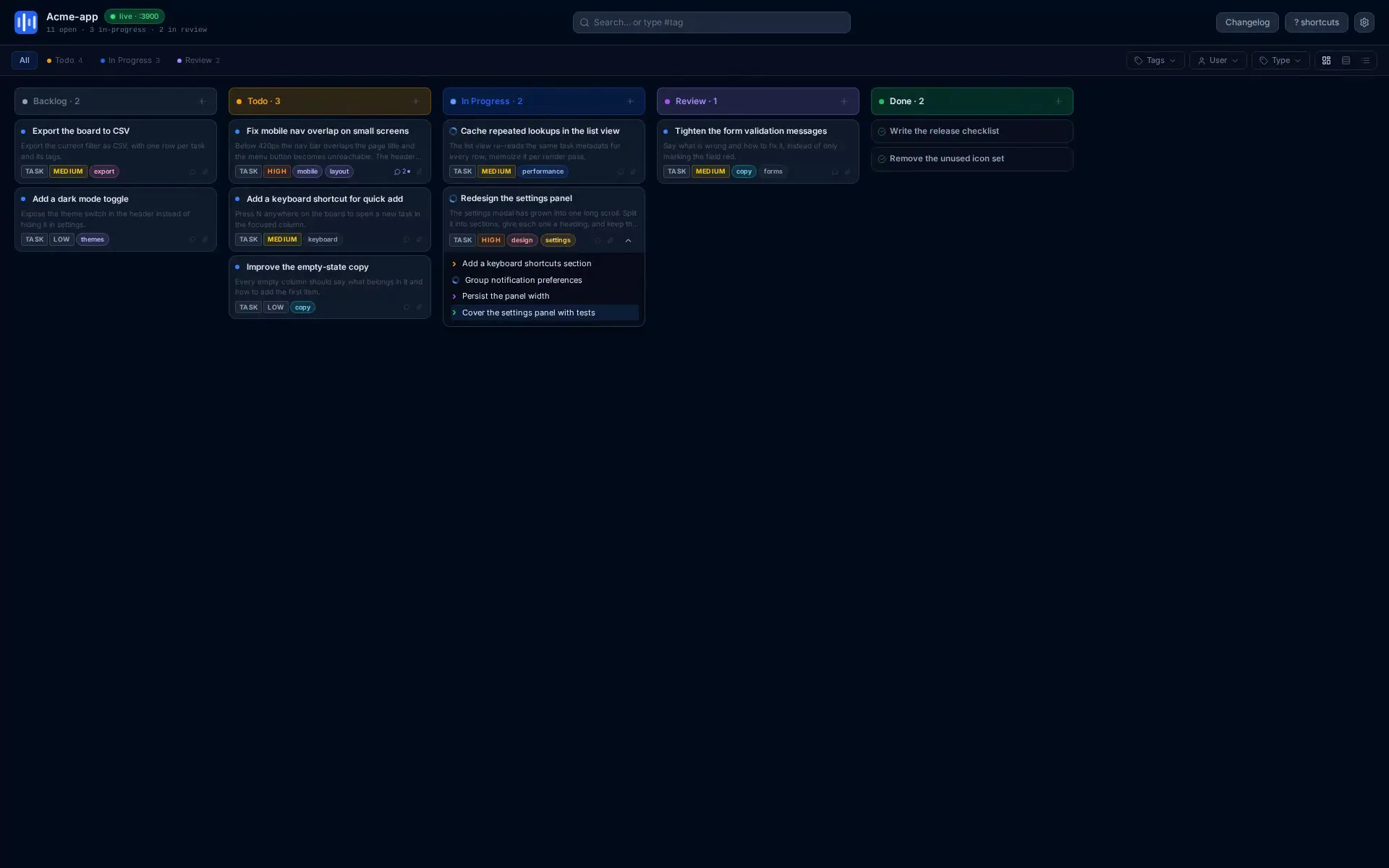
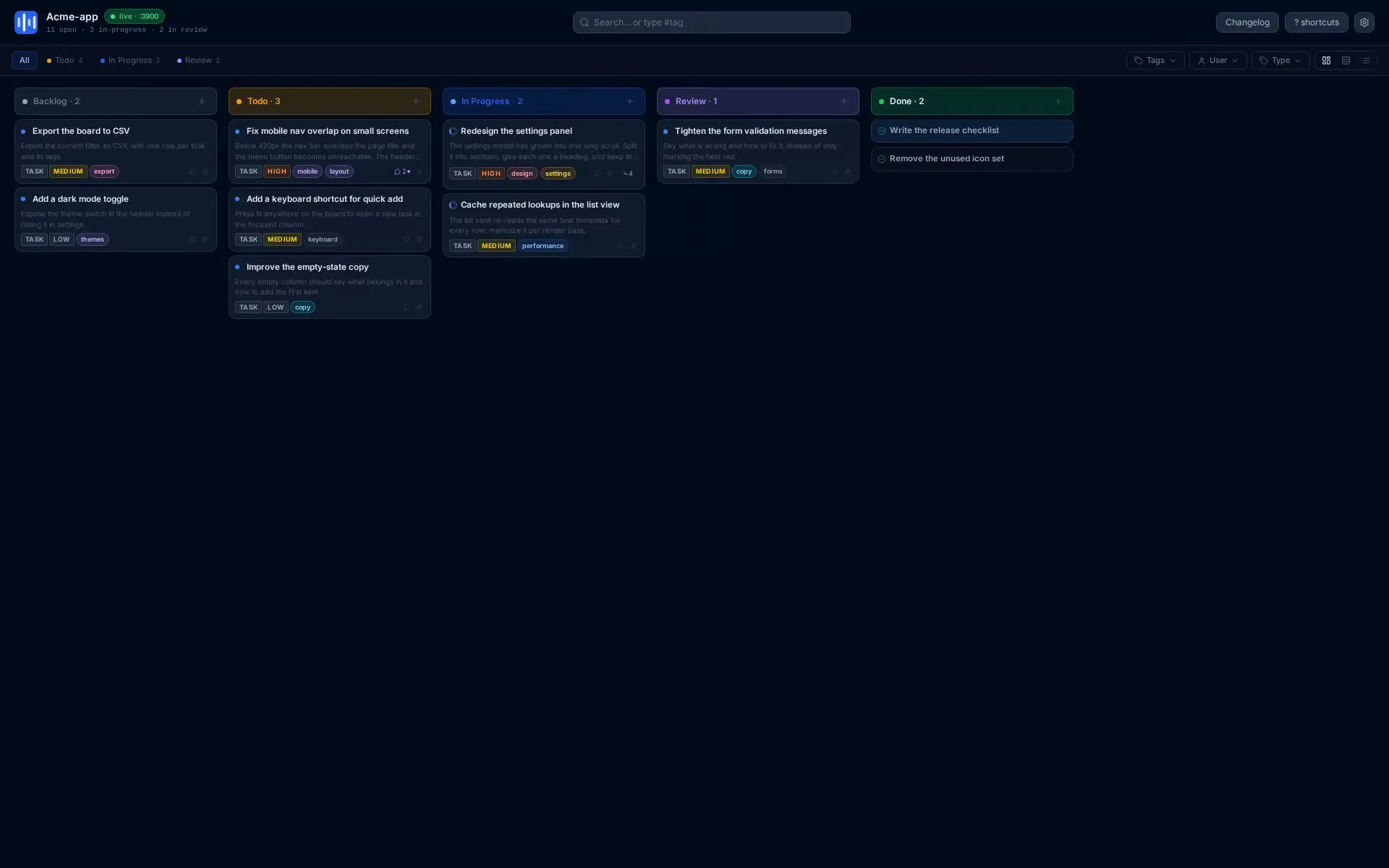
Every annotation becomes a task in a local kanban. Status, priority, screenshots, comments — all stored as JSON in your repo, fully version-controlled.
npx vibeflow kanban
Ship
3Hand to your agent
Paste task output directly into your AI agent — GitHub Copilot, Claude, Cursor. The agent receives the selector, source file, line number, and your note. No manual explanation needed.
npx vibeflow tasks --status todo
// features

Everything a solo dev needs.
Nothing more.

LOCAL-FIRST
Zero cloud required
Runs entirely on your machine. Tasks live in .vibeflow/ in your project — committed to git, readable by any tool.
AGENT-READY
Plug & play with any AI tool
Works with GitHub Copilot, Claude, Cursor, Windsurf — any tool that accepts a prompt. No API keys. No vendor lock-in. Just structured context.
COLLABORATION
SaaS mode for teams
Connect to Vibeflow Cloud for real-time collaboration. Multiple users, shared boards, live cursors. Currently free for early adopters while we build it out.
KANBAN BOARD
Built-in sprint planning
Not just annotations — a full task manager with backlog, in-progress, review, done. View it in the browser or drive it entirely from the CLI.
SCREENSHOTS
Screenshots that attach themselves
Paste a screenshot anywhere in the panel — it attaches to the task. Or let the tool capture it automatically when you annotate an element.
FAST ITERATION
From idea to task in <10 seconds
Open the overlay, click the element, write one sentence. That's it. Your agent has everything it needs. No forms, no categories, no required fields.
// install

One command.
You're building.

No sign-up. No dashboard. No onboarding. Just install and run.

No installation required
npx vibeflow kanban
Or install globally for repeated use
npm install -g vibeflow

Requires Node.js 22+. Works with any app, any framework.

// who it's for

Built for speed.
Made for every team.

Solo developer
You build it, you own it
  • Annotate your own HTML prototypes
  • CLI drives your agent directly
  • Tasks in git — no external service needed
  • Instant context export for any AI tool
  • Works offline, forever
Free
Local mode · always free
Team
Coming soon
Designers, PMs, and devs in sync
  • Shared kanban board in the cloud
  • Real-time collaboration, live presence
  • Comments, file attachments, activity feed
  • Non-devs can annotate, devs can build
  • Early adopter — currently free
Free during beta
SaaS mode · sign in with GitHub · collaboration coming soon